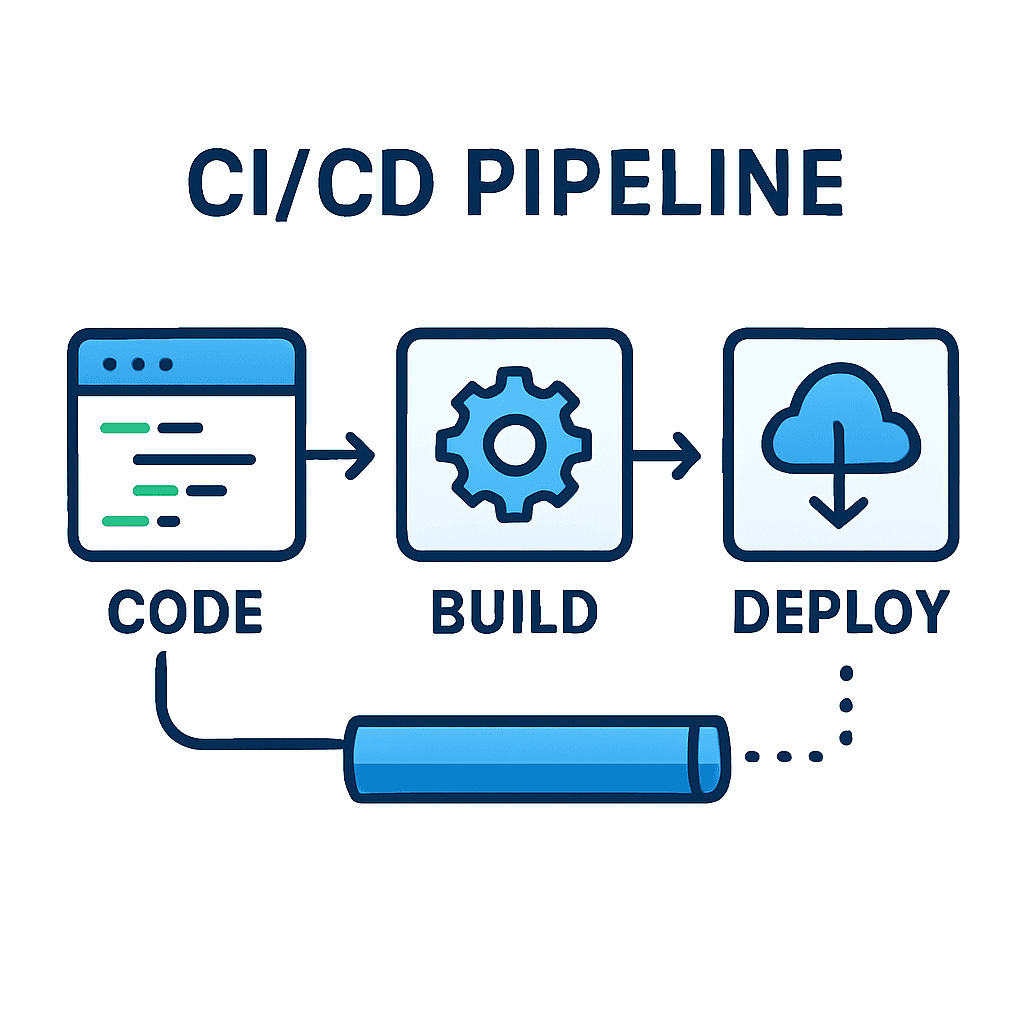
CI/CD Pipeline Optimization: Speed Up Your Deployments
The speed and reliability of your CI/CD pipeline directly impacts your team's productivity and your ability to deliver value to customers. In this comprehensive guide, we'll explore proven strategies to optimize your CI/CD pipelines and dramatically reduce deployment times.
Understanding Pipeline Bottlenecks
Before optimizing, identify where your pipeline spends the most time:
Common bottlenecks:
- Dependency installation
- Test execution
- Build compilation
- Docker image creation
- Deployment processes
Measuring pipeline performance:
# Add timing to your pipeline stages
stages:
  - name: Build
    start_time: ${START_TIME}
    duration: ${DURATION}
Optimization Strategies
1. Parallel Execution
Run independent jobs simultaneously:
# GitHub Actions
jobs:
  test:
    strategy:
      matrix:
        node-version: [16, 18, 20]
    runs-on: ubuntu-latest
    steps:
      - uses: actions/checkout@v3
      - name: Use Node.js ${{ matrix.node-version }}
        uses: actions/setup-node@v3
        with:
          node-version: ${{ matrix.node-version }}
2. Caching Dependencies
Cache node_modules, Maven dependencies, etc:
# GitHub Actions
- name: Cache dependencies
  uses: actions/cache@v2
  with:
    path: ~/.npm
    key: ${{ runner.os }}-node-${{ hashFiles('**/package-lock.json') }}
    restore-keys: |
      ${{ runner.os }}-node-

- name: Install dependencies
  run: npm ci
Cache strategies:
- Hash-based keys for accuracy
- Fallback keys for partial matches
- Regular cache invalidation
3. Incremental Builds
Only rebuild what changed:
// Turborepo configuration
{
  "pipeline": {
    "build": {
      "dependsOn": ["^build"],
      "outputs": ["dist/**"]
    }
  }
}
4. Docker Layer Optimization
Optimize Docker builds for faster image creation:
# Multi-stage build
FROM node:18-alpine AS deps
WORKDIR /app
COPY package*.json ./
RUN npm ci --only=production

FROM node:18-alpine AS builder
WORKDIR /app
COPY package*.json ./
RUN npm ci
COPY . .
RUN npm run build

FROM node:18-alpine AS runner
WORKDIR /app
COPY --from=deps /app/node_modules ./node_modules
COPY --from=builder /app/dist ./dist
CMD ["node", "dist/index.js"]
5. Test Optimization
Selective test execution:
// Jest configuration
module.exports = {
  testMatch: ['**/*.test.js'],
  coverageThreshold: {
    global: {
      branches: 80,
      functions: 80,
      lines: 80
    }
  }
}
Parallel test execution:
# Run tests in parallel
npm test -- --maxWorkers=4
Advanced Techniques
Pipeline as Code
Version control your pipeline configuration:
# .github/workflows/ci.yml
name: CI Pipeline
on: [push, pull_request]

jobs:
  quality:
    runs-on: ubuntu-latest
    steps:
      - uses: actions/checkout@v3
      - name: Lint
        run: npm run lint
      - name: Type check
        run: npm run type-check

  test:
    needs: quality
    strategy:
      matrix:
        node-version: [16, 18, 20]
    runs-on: ubuntu-latest
    steps:
      - uses: actions/checkout@v3
      - name: Setup Node
        uses: actions/setup-node@v3
        with:
          node-version: ${{ matrix.node-version }}
      - name: Install
        run: npm ci
      - name: Test
        run: npm test

  build:
    needs: test
    runs-on: ubuntu-latest
    steps:
      - uses: actions/checkout@v3
      - name: Build
        run: npm run build
      - name: Upload artifacts
        uses: actions/upload-artifact@v3
        with:
          name: build
          path: dist/

  deploy:
    needs: build
    if: github.ref == 'refs/heads/main'
    runs-on: ubuntu-latest
    steps:
      - name: Download artifacts
        uses: actions/download-artifact@v3
      - name: Deploy
        run: ./deploy.sh
Fail Fast Strategy
Stop pipeline early on critical failures:
jobs:
  test:
    strategy:
      fail-fast: true
      matrix:
        node-version: [16, 18, 20]
Smart Notifications
Only notify on important events:
- name: Notify on failure
  if: failure()
  uses: 8398a7/action-slack@v3
  with:
    status: ${{ job.status }}
    text: 'Build failed on ${{ github.ref }}'
    webhook_url: ${{ secrets.SLACK_WEBHOOK }}
Deployment Optimization
Blue-Green Deployments
Zero-downtime deployments:
# AWS CodeDeploy
version: 0.0
Resources:
  - TargetService:
      Type: AWS::ECS::Service
      Properties:
        TaskDefinition: <TASK_DEFINITION>
        LoadBalancerInfo:
          ContainerName: "app"
          ContainerPort: 3000
        DeploymentStyle:
          DeploymentOption: WITH_TRAFFIC_CONTROL
          DeploymentType: BLUE_GREEN
Environment-Specific Configurations
# Separate configs per environment
deploy-staging:
  environment:
    name: staging
    url: https://staging.example.com
  env:
    AWS_ACCESS_KEY_ID: ${{ secrets.AWS_ACCESS_KEY_ID }}
    AWS_SECRET_ACCESS_KEY: ${{ secrets.AWS_SECRET_ACCESS_KEY }}
Monitoring and Metrics
Track pipeline performance:
Key metrics:
- Build duration
- Success rate
- Time to deployment
- Failure recovery time
Implementation:
// Custom metrics
const metrics = {
  buildStart: Date.now(),
  buildEnd: null,
  duration: null,
  status: 'running'
}

// Track in your CI system
console.log(JSON.stringify(metrics))
Best Practices Summary
- Parallelize independent jobs
- Cache dependencies and build artifacts
- Optimize Docker layers
- Test selectively and in parallel
- Fail fast on critical errors
- Monitor pipeline performance
- Version control pipeline configuration
- Automate everything possible
Real-World Results
After implementing these optimizations, teams typically see:
- 50-70% reduction in build times
- 80% fewer failed deployments
- 3x increase in deployment frequency
- 90% reduction in manual intervention
Conclusion
Optimizing your CI/CD pipeline is an ongoing process. Start with the biggest bottlenecks, measure improvements, and iterate. The investment in pipeline optimization pays dividends in developer productivity and faster time to market.
Remember: A fast, reliable pipeline enables teams to deploy confidently and frequently, which is essential for modern software development.